
ContextFlow

Map reality, not aspiration.

Visual DDD context mapper for analyzing bounded contexts, their relationships, and code ownership across three complementary views
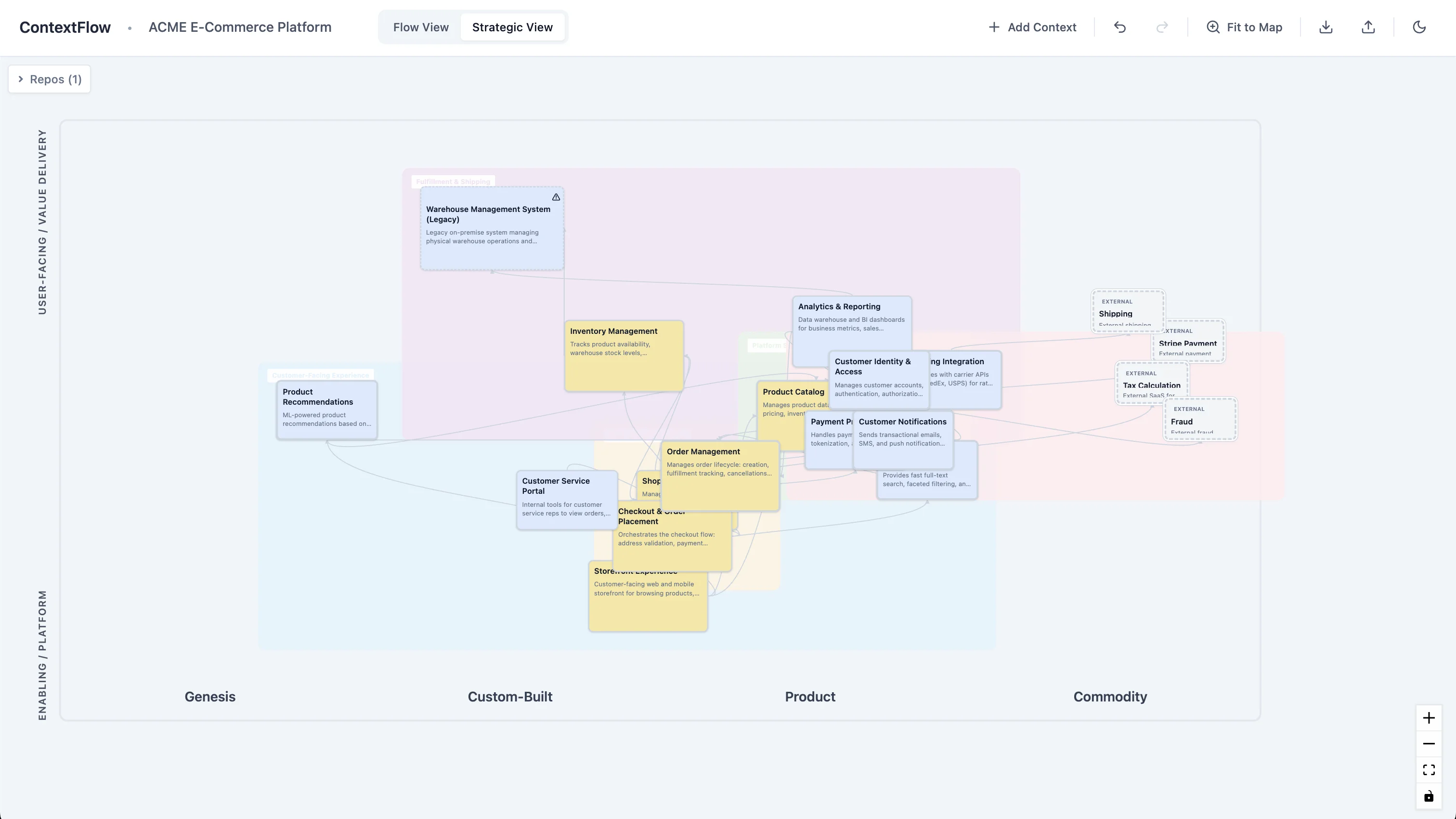
ContextFlow Strategic View

What is ContextFlow?

ContextFlow helps teams map and edit their system architecture as it actually exists — not as the slide deck says it should be. It captures:

  • Bounded contexts with strategic classification (core/supporting/generic), boundary integrity (strong/moderate/weak), and visual properties
  • DDD relationship patterns between contexts (customer-supplier, conformist, anti-corruption layer, open-host service, shared kernel, partnership, etc.)
  • Wardley Map value chain with actors, user needs, and contexts showing complete problem-to-solution flow
  • Code ownership linking repositories to contexts and teams via drag-and-drop
  • Team topology connecting teams to their boards and responsibilities
  • Capability groups as organic blob-shaped visual clusters using Catmull-Rom smoothing
  • Temporal evolution showing how your architecture changes over time with keyframes and timeline playback

The key differentiator: three models of your sociotechnical system.

Value Stream View

Context mapping: Shows how value and data move left-to-right through your system. Map bounded contexts and visualize how work flows between them.

Stages are configurable per project: e.g., "Discovery → Selection → Purchase → Fulfillment → Post-Sale" for e-commerce, or "Ingest → Normalize → Analyze → Publish" for data pipelines.
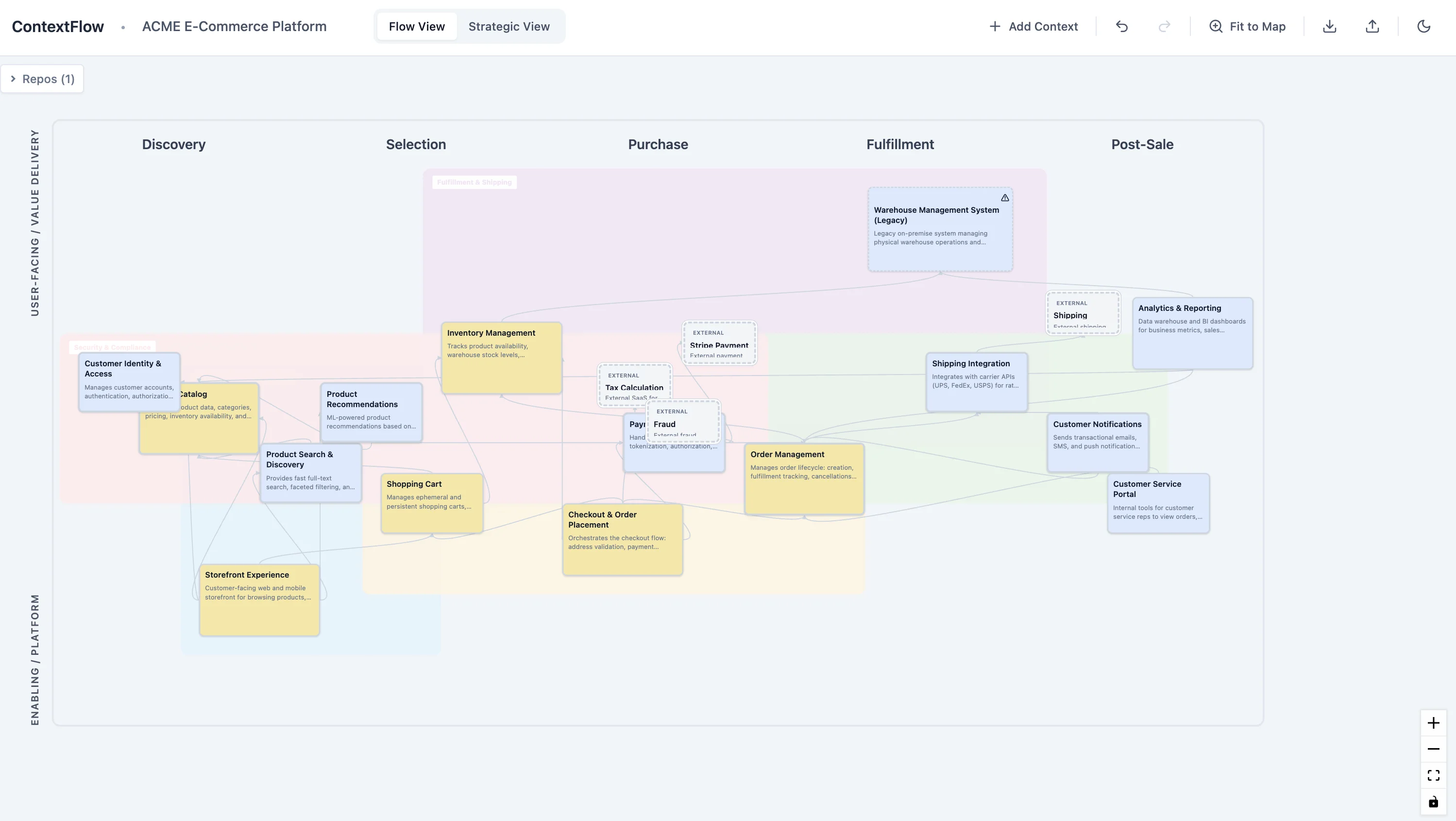
Value Stream View
Distillation View

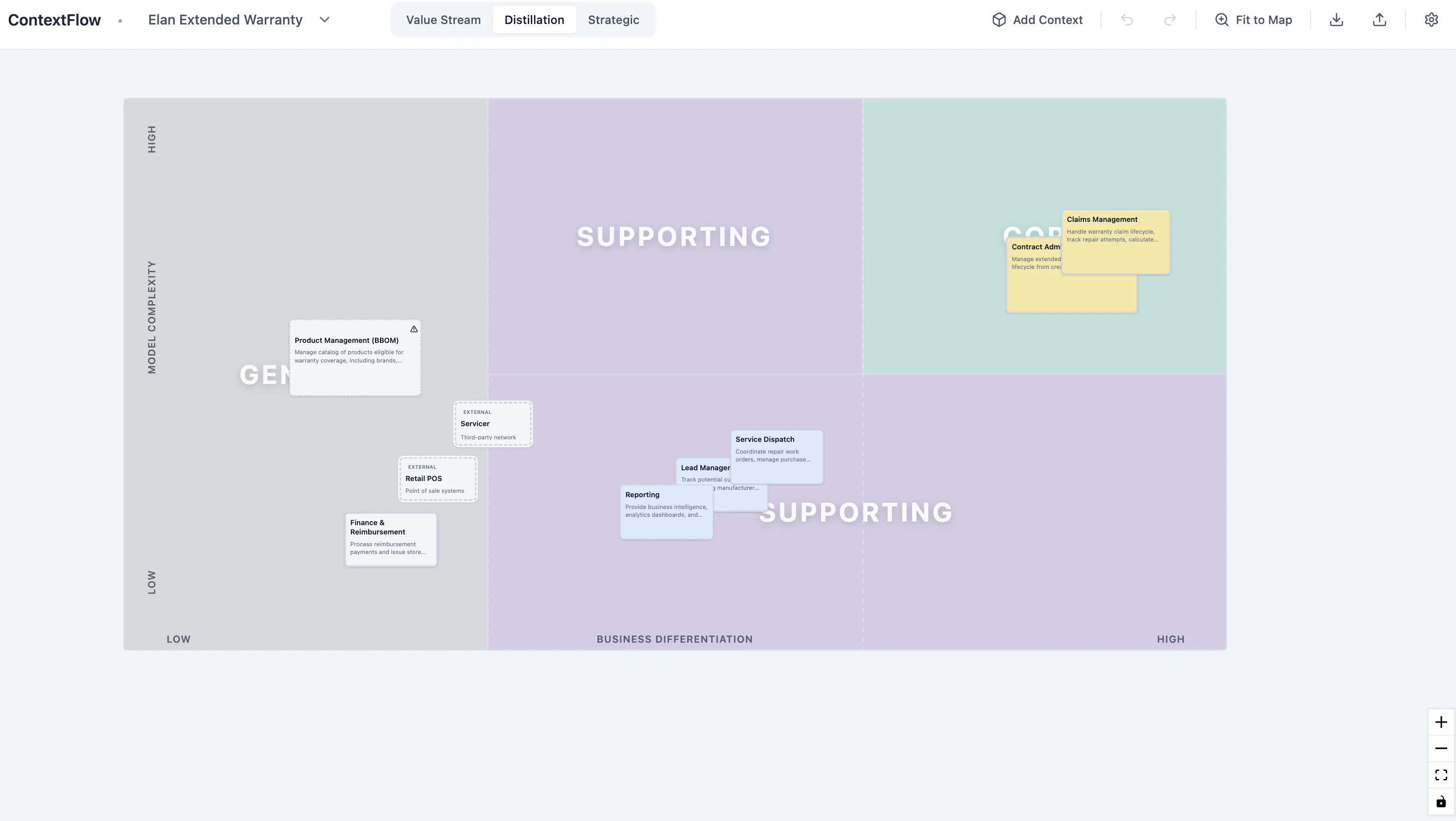
Distillation View

Domain classification: Classify bounded contexts using Nick Tune's Core Domain Chart. Position contexts by Business Differentiation (Y-axis) and Model Complexity (X-axis) to identify your core domains vs supporting/generic capabilities.

This helps prioritize strategic investment and identify what should be core vs commodity.

Strategic View

Wardley mapping: Shows the complete Wardley Map value chain with three layers:

  • Actors - Users of the map
  • User Needs - Problems to solve (connecting actors to contexts)
  • Contexts - Solution components positioned on the evolution axis

All positioned along the evolution axis: Genesis → Custom-built → Product/Rental → Commodity/Utility.

Includes 2-hop connection highlighting showing complete value chains. Switch between views live — same contexts, same relationships, different strategic insights.

Strategic View

Why ContextFlow?

Map reality, not aspiration

Most architecture diagrams show the system you wish you had. ContextFlow helps you map bounded contexts as they actually exist in your codebase, with DDD strategic patterns, ownership clarity, and boundary integrity.

Three models of your sociotechnical system

Value Stream View — Start here. Map contexts and how work flows through your system.

Distillation View — Classify your contexts using Nick Tune's Core Domain Chart.

Strategic View — Complete the strategic picture with actors, user needs, and Wardley mapping.

Built for practitioners

  • Browser-based, no backend required
  • Import/export as JSON
  • Drag repos onto contexts, link teams to boards
  • Full editing with autosave and undo/redo
  • Light/dark theme support

Open Source & Free

MIT licensed. No registration, no paywalls. Designed for DDD facilitators, platform architects, and teams doing strategic design.

Features

Current

  • Visual canvas with pan/zoom and fit-to-map
  • Bounded context nodes with strategic classification
  • DDD relationship patterns as directed edges
  • Value Stream View with configurable flow stages
  • Distillation View with Nick Tune's Core Domain Chart
  • Strategic View with Wardley Map value chain (actors, user needs, contexts)
  • Live view switching with animated transitions
  • Temporal evolution with timeline slider and keyframes
  • Full editing (drag, create, delete, multi-select)
  • Multi-project support with project switcher
  • Repo sidebar with drag-to-assign
  • CodeCohesion API integration for repository statistics
  • IndexedDB persistence with autosave
  • Theme toggle (light/dark mode)
  • Import/export project JSON

Planned

  • Enhanced import/export options
  • Accessibility improvements
  • Keyboard shortcuts documentation overlay

Getting Started

$ npm install
$ npm run dev

License: MIT - Free to use, modify, and distribute